Correspondence-driven plane-based M3C2 (PBM3C2) with pre-segmented planes
Implemented in: py4dgeo.pbm3c2
Author(s) of the method Vivien Zahs, Lukas Winiwarter, Bernhard Höfle (Heidelberg University)
Original publication of the method Zahs, V., Winiwarter, L., Anders, K., Williams, J.G., Rutzinger, M. & Höfle, B. (2022): Correspondence-driven plane-based M3C2 for lower uncertainty in 3D topographic change quantification. ISPRS Journal of Photogrammetry and Remote Sensing, 183, pp. 541-559. DOI: 10.1016/j.isprsjprs.2021.11.018.
Method description
In this notebook, we present how the Correspondence-driven plane-based M3C2 (PB-M3C2, [Zahs et al., 2022] algorithm for point cloud distance computation using the py4dgeo package.
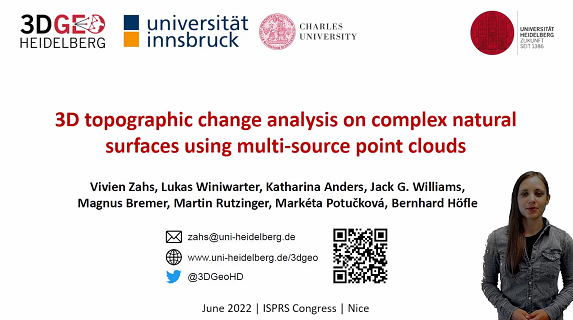
The concept and method of PBM3C2 are explained in this scientific talk:
In the current implementation of PBM3C2, a plane segmentation outside py4dgeo (e.g., using CloudCompare or other tools) is required. As PB-M3C2 is a learning algorithm, it requires user-labelled input data in the process, which can be created in graphical software, such as CloudCompare.
[1]:
import py4dgeo

import matplotlib.pyplot as plt
import numpy as np
import pandas as pd

from py4dgeo.util import find_file
In this notebook, we use a dataset of synthetic planes, which is downloaded from the py4dgeo data repository:
[2]:
# Fetch original test data
test_filename = "pbm3c2.zip"
original_file = find_file(test_filename)
print(f"File downloaded to: {original_file}")
File downloaded to: /home/docs/.cache/py4dgeo/pbm3c2.zip
We are reading the two input epochs from XYZ files which contain a total of four columns: X, Y and Z coordinates, as well a segment ID mapping each point to a plane and normal vector components in X, Y and Z. The read_from_xyz functionality allows us to read additional data columns through its additional_dimensions parameter. It is expecting a dictionary that maps the column index to a column name.
[3]:
epoch0 = py4dgeo.epoch.read_from_xyz(
    find_file("epoch0.xyz"),
    additional_dimensions={3: "segment_id", 4: "N_x", 5: "N_y", 6: "N_z"},
    delimiter=" ",
)
epoch1 = py4dgeo.epoch.read_from_xyz(
    find_file("epoch1.xyz"),
    additional_dimensions={3: "segment_id", 4: "N_x", 5: "N_y", 6: "N_z"},
    delimiter=" ",
)
[2026-06-24 19:30:39][INFO] Reading point cloud from file '/home/docs/.cache/py4dgeo/extracted/pbm3c2/epoch0.xyz'
[2026-06-24 19:30:40][INFO] Reading point cloud from file '/home/docs/.cache/py4dgeo/extracted/pbm3c2/epoch1.xyz'
The point cloud data we use here consists of 100 planar segments, with 70 used for training and 30 for application.
[4]:
n_planes = 100
n_train = int(0.7 * n_planes)
train_ids = np.arange(n_train)
apply_ids = np.arange(n_train, n_planes)
We instantiate an instance of the algorithm class. Here, you can set the registration error for the input point clouds.
[5]:
alg = py4dgeo.PBM3C2(registration_error=0.01)
By default, the algorithm uses a labeled training dataset correspondences_file to learn how to match the segments. This CSV file contains three columns: the first two are the plane segment IDs from epoch 0 and epoch 1, and the third is a label (1 for a correct match, 0 for an incorrect one).
As a lightweight alternative, PBM3C2 can also run without training data via nearest-neighbor matching of segment centroids (correspondence_method="nearest_neighbor").
Here is an example of the correspondences_file structure:
[6]:
training_sample = pd.read_csv(find_file("epoch_extended_y.csv"), header=None, nrows=3)

print("Training correspondence file structure (first 3 rows):")
print(training_sample.to_string(index=False, header=False))
print("\nFormat explanation:")
print("  - Column 0: Segment ID from epoch 0")
print("  - Column 1: Corresponding segment ID from epoch 1")
print("  - Column 2: Label (1 = correct match, 0 = incorrect match)")
Training correspondence file structure (first 3 rows):
0 100 1
1 101 1
2 102 1

Format explanation:
  - Column 0: Segment ID from epoch 0
  - Column 1: Corresponding segment ID from epoch 1
  - Column 2: Label (1 = correct match, 0 = incorrect match)
[7]:
correspondences_df = alg.run(
    epoch0=epoch0,
    epoch1=epoch1,
    correspondences_file=find_file("epoch_extended_y.csv"),
    apply_ids=apply_ids,
    search_radius=5.0,
)
============================================================
PBM3C2 Processing Pipeline
============================================================

[1/6] Preprocessing epochs and correspondences...
Assigning globally unique segment IDs...
  Epoch 0: 100 unique segments (range: 0.0-99.0)
  Epoch 1: 100 unique segments (range: 100.0-199.0)
  Assigned new IDs for Epoch 0: 1 to 100
  Assigned new IDs for Epoch 1: 101 to 200
  Remapped 139 correspondence pairs to new ID scheme
Preprocessing complete.

[2/6] Loading and processing segments...
  Loaded 100 segments from epoch 0, 100 from epoch 1

[3/6] Extracting geometric features...
  Computed metrics for 100 + 100 segments

[4/6] Training Random Forest classifier...
  Classifier trained on 139 pairs

[5/6] Finding correspondences...

[6/6] Calculating M3C2 distances and uncertainties...

[Final] Mapping results back to original segment IDs...
============================================================
Processing complete! Found 30 matches
============================================================
[8]:
print(correspondences_df.head())
   epoch0_original_id  epoch1_original_id  epoch0_segment_id  \
0                70.0               170.0                 71
1                71.0               171.0                 72
2                72.0               172.0                 73
3                73.0               173.0                 74
4                74.0               174.0                 75

   epoch1_segment_id  distance  uncertainty
0              171.0  0.091296     0.011290
1              172.0  0.132205     0.011429
2              173.0  0.300687     0.011440
3              174.0  0.369171     0.011403
4              175.0 -0.294675     0.011339
[9]:
distances = correspondences_df["distance"]
uncertainties = correspondences_df["uncertainty"]
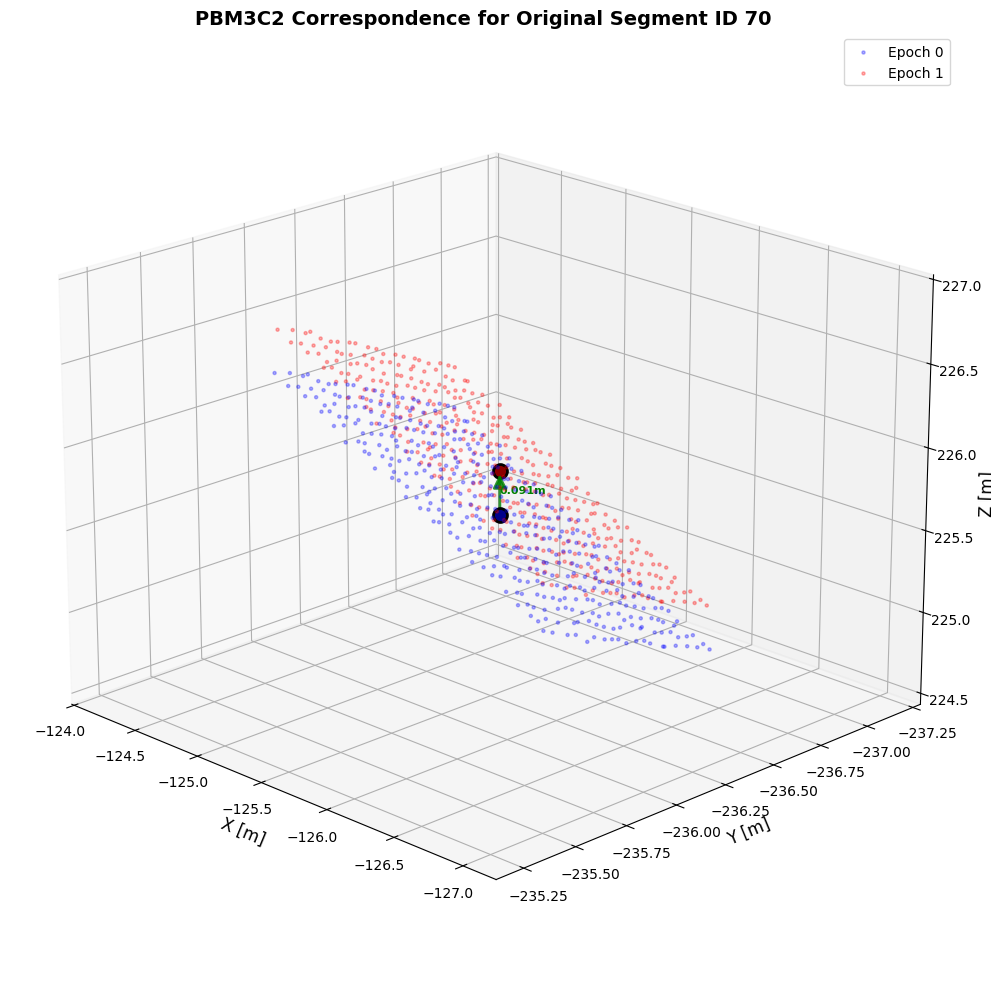
We can visualize the matched plane correspondences and their spatial relationships:
The visualize_correspondences function includes parameters to control its plotting behavior, offering the following options: pinpoint a single epoch0_segment_id for detailed zoom-in display; enable the show_all=True option to render all content; or directly use the default random num_samples value for a quick preview.
[10]:
fig, ax = alg.visualize_correspondences(epoch0_segment_id=70, elev=20, azim=135)
plt.show()
Optional: basic usage without training data (nearest-neighbor correspondences)
If you do not want to provide labeled training correspondences, you can run PBM3C2 with "nearest-neighbor" segment matching:
Nearest-neighbor mode matches each epoch-0 segment centroid to its closest epoch-1 centroid. search_radius is the maximum allowed centroid distance [m]; pairs beyond this threshold are discarded. With correspondence_filter="mutual_nearest_neighbors", a match is kept only if both segments are each other’s nearest neighbor (stricter, often fewer but more reliable correspondences).
[11]:
alg_nn = py4dgeo.PBM3C2(registration_error=0.01)

correspondences_df_nn = alg_nn.run(
    epoch0=epoch0,
    epoch1=epoch1,
    correspondences_file=None,
    apply_ids=apply_ids,
    search_radius=5.0,
    correspondence_method="nearest_neighbor",
    correspondence_filter="mutual_nearest_neighbors",
)
============================================================
PBM3C2 Processing Pipeline
============================================================

[1/6] Preprocessing epochs and correspondences...
Assigning globally unique segment IDs...
  Epoch 0: 100 unique segments (range: 0.0-99.0)
  Epoch 1: 100 unique segments (range: 100.0-199.0)
  Assigned new IDs for Epoch 0: 1 to 100
  Assigned new IDs for Epoch 1: 101 to 200
  No correspondence file provided, skipping training set remapping
Preprocessing complete.

[2/6] Loading and processing segments...
  Loaded 100 segments from epoch 0, 100 from epoch 1

[3/6] Extracting geometric features...
  Computed metrics for 100 + 100 segments

[4/6] Skipping Random Forest training (nearest-neighbor mode)...

[5/6] Finding correspondences...
[2026-06-24 19:30:40][INFO] Building KDTree structure with leaf parameter 10
[2026-06-24 19:30:40][INFO] Building KDTree structure with leaf parameter 10

[6/6] Calculating M3C2 distances and uncertainties...

[Final] Mapping results back to original segment IDs...
============================================================
Processing complete! Found 30 matches
============================================================
[12]:
print(correspondences_df_nn.head())
print(f"Found {len(correspondences_df_nn)} nearest-neighbor correspondences")
   epoch0_original_id  epoch1_original_id  epoch0_segment_id  \
0                70.0               170.0                 71
1                71.0               171.0                 72
2                72.0               172.0                 73
3                73.0               173.0                 74
4                74.0               174.0                 75

   epoch1_segment_id  distance  uncertainty
0              171.0  0.091296     0.011290
1              172.0  0.132205     0.011429
2              173.0  0.300687     0.011440
3              174.0  0.369171     0.011403
4              175.0 -0.294675     0.011339
Found 30 nearest-neighbor correspondences
[13]:
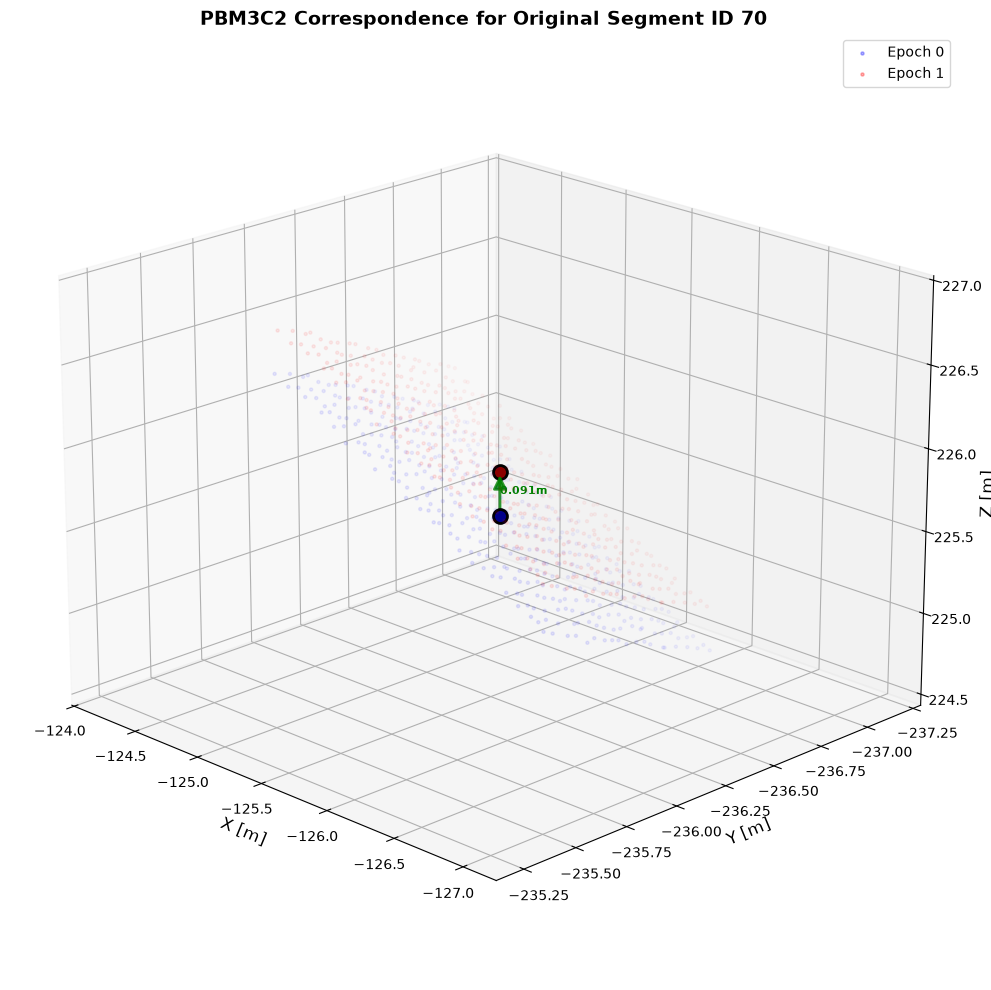
fig, ax = alg_nn.visualize_correspondences(epoch0_segment_id=70, elev=20, azim=135)
plt.show()
References
Zahs, V., Winiwarter, L., Anders, K., Williams, J.G., Rutzinger, M. & Höfle, B. (2022): Correspondence-driven plane-based M3C2 for lower uncertainty in 3D topographic change quantification. ISPRS Journal of Photogrammetry and Remote Sensing, 183, pp. 541-559. DOI: 10.1016/j.isprsjprs.2021.11.018.